How to Make a PNG Transparent (Free, in Seconds)
Make any image a transparent PNG free in seconds, plus Photoshop, GIMP, Mac and iPhone methods and the mistakes that leave a white box behind.

Nur Ahammad Shanto
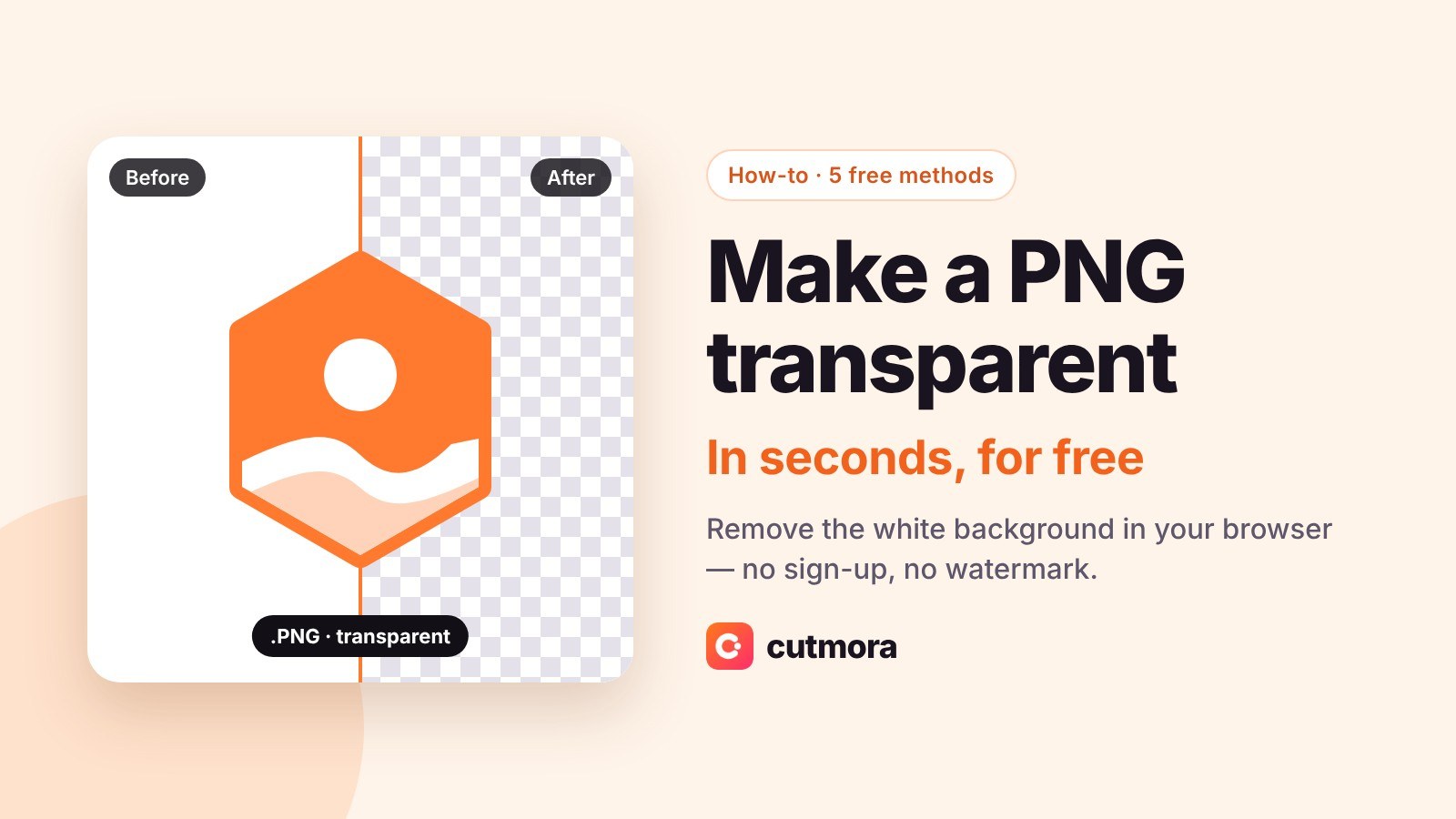
You downloaded a PNG, dropped it onto your design, and it came with a white box around it. Or you have a logo on a white background and need it to sit cleanly on a coloured page. Either way, the fix is the same: the image needs a transparent background, and the file has to be saved in a way that keeps it.
Quick answer: Upload your image to Cutmora, keep the background transparent, and download it as PNG. It is free, takes a few seconds, needs no account and adds no watermark.
This guide shows that method step by step, plus how to do it in Photoshop, GIMP, on a Mac and on an iPhone. It also covers the three mistakes that make a "transparent" PNG come out with a background anyway.
What makes a PNG transparent
Every pixel in an image has colour values. A PNG can store one more value per pixel, called the alpha channel, which says how see-through that pixel is: fully visible, fully invisible, or anywhere in between. A transparent PNG is simply an image where the background pixels are set to invisible.
Two things follow from that:
- The format matters. PNG and WebP can store transparency. JPG cannot, so saving as JPG always fills the background with a solid colour, usually white.
- The checkerboard is not the transparency. Editors show a grey-and-white checkerboard to mean "nothing here". If you can see the checkerboard in a file viewer that normally shows transparency as plain white or black, the checkerboard has been baked into the pixels and the image is not transparent at all.
The fastest way: make a PNG transparent online, free
This works on any device, for photos, product shots, logos and signatures.
- Upload the image. Open Cutmora and drop in your image, or paste it with Ctrl+V. JPG, PNG and WebP up to 30 MB all work. No account is needed.
- Let the AI remove the background. The subject is cut out automatically, and the background turns into the transparency checkerboard. Use "Compare" to check the edges against the original.
- Keep the background transparent and download as PNG. Leave the background set to transparent and choose PNG (or WebP for a smaller file). Do not choose JPG, or the transparency is lost.
Cutmora is free, adds no watermark, and keeps images up to about 12 megapixels. Your image is processed in memory and never stored.
Make a PNG transparent in Photoshop
If you already pay for Photoshop:
- Open the image and make sure the layer is unlocked. If it shows a padlock, click the padlock.
- Use Remove Background from the Properties panel's Quick Actions or the Contextual Task Bar. Photoshop selects the subject and hides the background with a layer mask.
- Refine the edge with Select and Mask if hair or fine detail needs work.
- Export with File > Export > Quick Export as PNG.
Make a PNG transparent in GIMP (free desktop app)
For a logo or graphic on a flat white background:
- Open the image and choose Layer > Transparency > Add Alpha Channel. Without this step, GIMP has nowhere to store transparency.
- Choose Colors > Color to Alpha and pick white. Every white pixel becomes transparent, and off-white pixels become partly transparent.
- Export with File > Export As and a file name ending in
.png.
Color to Alpha works best on flat graphics. On photos, it also removes white from inside the subject, such as teeth or a white shirt, so use a cutout tool for photos instead.
Make a PNG transparent on a Mac (Preview)
macOS 13 Ventura and later include a background remover in Preview:
- Open the image in Preview.
- Choose Tools > Remove Background.
- If the file is a JPG, Preview asks to convert it to PNG. Accept, because JPG cannot hold transparency.
- Save.
Make a PNG transparent on an iPhone
iOS 16 and later can lift a subject out of a photo:
- Open the photo in the Photos app.
- Press and hold on the subject until it glows, then let go.
- Tap Share and save or send the cutout. It is shared as a PNG with a transparent background.
The lift picks one main subject. If it grabs the wrong thing, or you need the result at full size, use an online remover instead.
Three reasons your "transparent" PNG still has a background
- It was saved as JPG. Any JPG export flattens the image onto a solid colour. Save as PNG or WebP.
- It was a fake transparent PNG. Many "transparent PNG" downloads from image search are ordinary images with a checkerboard drawn into them. Open the file and place it on a dark colour. If the checkerboard is still visible, the file was never transparent. Run it through a background remover to get a real one.
- The app you placed it in added a background. Some apps, including the free plan of some design tools, export finished designs with a solid background even when the elements inside are transparent. The PNG itself is fine; check the export settings of the app.
Check that your PNG is really transparent
Place the file on a dark background, for example in a slide or design tool with a black page. A real transparent PNG shows only the subject. A thin pale outline around the edges, called a halo, means some of the old background is left. In Cutmora, move the edge slider toward "Tighter" and download again.
Frequently asked questions
Can a JPG be transparent?
No. JPG has no alpha channel, so it always has a solid background. Convert it to a PNG with a transparent background instead.
Is PNG or WebP better for transparency?
Both support it. PNG works everywhere, including older software and print workflows. WebP files are usually smaller, which helps web pages load faster.
Will making a PNG transparent reduce its quality?
Not if you save it as PNG. PNG is lossless, so the subject keeps every pixel. Cutmora keeps images up to about 12 megapixels; larger photos are scaled down to fit.
How do I make a white background transparent?
For a flat logo, use Color to Alpha in GIMP. For a photo or a logo with soft edges, an AI background remover gives cleaner results because it removes the background, not every white pixel.
Is it free to make a PNG transparent with Cutmora?
Yes. There is no sign-up, no watermark and no limit on commercial use.
Related guides: Shopify product images: white or transparent background? · Remove a white background in Canva on the free plan · Amazon main image not pure white? Free fix
Need a transparent PNG now? Make one free at cutmora.com — no sign-up, no watermark.